How to Make a Dame Hombro AI Video: Step by Step
Learn how to make a Dame Hombro AI video from a single clear photo, from credits to the final MP4. A complete walkthrough for beginners on any device.
Dame Hombro AI editorial team · Updated October 8, 2026
How to Make a Dame Hombro AI Video in One Minute
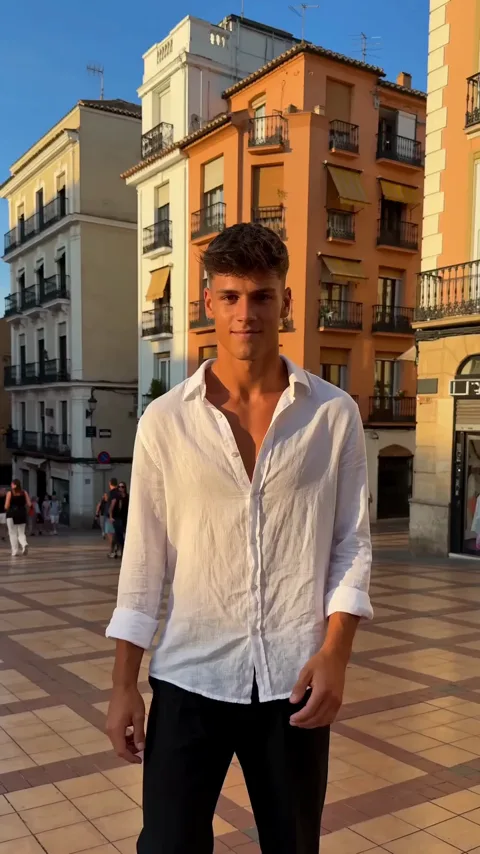
You make a Dame Hombro AI video by uploading one clear photo of a person, letting the AI perform the shoulder-dance freestyle, and downloading the finished vertical clip. There is no camera work, no dance practice, and no editing timeline involved: the photo is the input, the trend choreography is the template, and the result is a short MP4 you can post the same day.
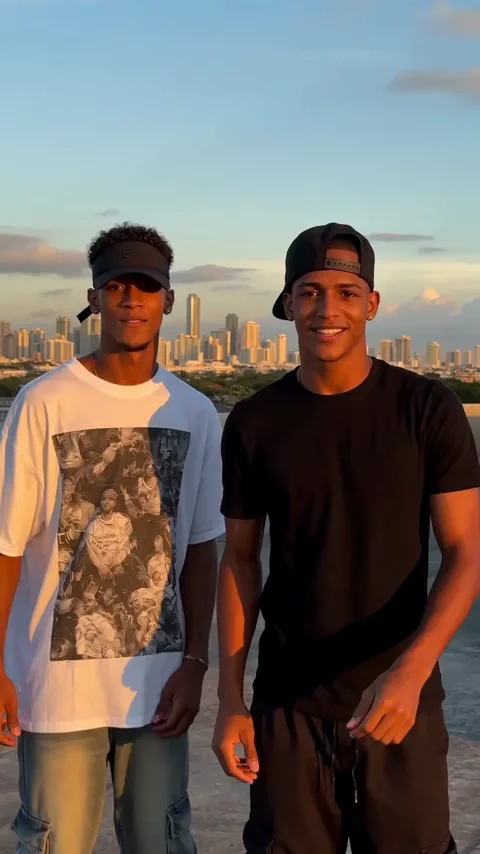
Dame Hombro is the viral Dominican dembow trend that began in October 2026 with Bulin 47 and content creator Kevin Wai and their "dame hombro, pah" hook. The second wave of that trend is AI character swaps, where people drop a photo into a generator and let the model dance in their place. Dame Hombro AI is an independent tool built for that second wave, and it is not affiliated with, endorsed by, or licensed by Bulin 47, Kevin Wai, any label, or any social platform.
What You Need Before You Start
The setup is deliberately small. You need one email address to create an account, one clear photo of an adult, and enough credits for a render. Everything else is optional.
| What you need | Requirement | Why it matters |
|---|---|---|
| Photo | One clear, well-lit face | The model copies the face and outfit from this image |
| Second photo | Only for the duet scene | Each performer needs a separate upload |
| File type | JPG, PNG, or WebP | Other formats are rejected before processing |
| Credits | 30 credits per video | A failed job returns the credits it used |
| Device | Any modern browser | The tool runs in the browser, with no app to install |
| Time | A few minutes per render | One job runs per account at a time |
Step by Step: Making Your First Video
The whole flow takes less time than picking a caption.
- Open https://damehombroai.com in a browser on your phone or computer.
- Sign up with your email address; no card is needed to create the account.
- Claim the check-in reward in the account pop-up to collect free credits.
- Pick the Dame Hombro scene that fits your idea, either solo or duet.
- Upload one clear photo of an adult, or two separate photos for the duet.
- Optionally describe the scene in the text field if you want a specific look.
- Submit the job. It runs asynchronously, so you can close the tab and return later.
- Download the finished MP4 once it appears and share it wherever you like.
If you want a deeper walkthrough of image selection first, the photo guide covers lighting, framing, and what the model does with your source file.
How Credits, Free Credits, and Pricing Work
Every render costs 30 credits. You can buy credits in one-time packs or take an optional subscription if you plan to post often. Pack credits never expire.
| Plan | Price | Videos | Credits |
|---|---|---|---|
| Starter pack | $9.90 | 1 video | 30 credits |
| Three-video pack | $19.90 | 3 videos | 90 credits |
| Five-video pack | $29.90 | 5 videos | 150 credits |
| Monthly plan | $29.90 per month | 10 videos | 300 credits |
| Yearly plan | $199 per year | 120 videos | 3,600 credits |
Free credits arrive through the check-in reward. Create an account with your email address, then claim the reward in the account pop-up: the sequence is 10 credits, then 20, then 30, then 10 for each of the next four claims, once per account every 24 hours. Two claims are enough for one full video, so you can test the tool before paying anything. Pack credits never expire, monthly credits refresh each billing month, and yearly credits arrive at once and cover the billing year.
Text to Video When You Have No Photo
You do not need a photo at all. The tool also supports text-to-video, which means you can describe a scene and let the model build the performer from scratch. This is useful when you want a stylized character, an anonymous dancer, or a concept you cannot photograph, such as a mascot or a cartoon-inspired figure. Write in plain language: who is in the frame, what they wear, where they stand, and how the light looks. Keep the description focused on the performance itself, because a clear, specific prompt gives the model less room to improvise in the wrong direction. Moderation runs on the prompt, the photo, and the finished video, and adult content is rejected.
What You Get Back
Each finished render is one MP4 file in vertical 9:16 at 720p. It runs about 8 seconds, long enough for one clean loop of the freestyle, and the generated audio is on, so you hear the track that ships with the clip rather than a silent file. Everything you upload and everything you generate stays private to your account, which means your photo is not published anywhere and your results are not shown to other users. If a job fails, the credits it consumed are returned automatically, and you can resubmit once you have adjusted the photo or the description.
Common Mistakes to Avoid
The most common problem is a photo that is too small, too dark, or too busy. A tight, sharp portrait with one visible adult face works far better than a wide group shot, and group photos are not accepted as input. The second mistake is expecting to run several jobs at once; only one job processes per account at a time, so queue your ideas rather than launching them together. A third is writing a prompt that fights the trend, such as asking for a completely different dance, which spends a credit and produces something that does not match the format. Finally, remember that AI motion is not perfect: hands and very fast movement can look unusual, so start with a clean source image and give the model the best possible material.
FAQ
Is Dame Hombro AI free to try?
Yes. Sign up with an email address and claim the check-in reward in the account pop-up. Two claims are enough for one full video, and the claims reset once per account every 24 hours.
Do I need two photos?
Only for the duet scene. A solo video needs a single photo of one adult, while a duet needs two separate photos, one per performer. Group photos are not supported.
How long does a render take?
Usually a few minutes. Processing is asynchronous, so you can close the tab and check back later. One job runs per account at a time.
What format is the output?
One MP4 file, vertical 9:16, 720p, about 8 seconds, with the generated audio on. Files are private to your account.
What happens if a job fails?
The credits that the failed job consumed are returned to your balance automatically. You can then resubmit once you have adjusted the photo or the description.
Can I get a cash refund instead of credits?
Purchases are covered by the refund policy. In general, failed jobs return credits rather than issuing automatic cash refunds; contact contact@damehombroai.com if a balance ever looks wrong.
For pricing details, see the pricing page. To understand how photos and results are handled, read the privacy policy and the terms of service. You can also learn more about the project, or compare the solo and duet formats in the duet guide.