When a two-person duet beats a solo Dame Hombro clip
A solo Dame Hombro clip puts 100 percent of the viewer attention on one face and one clean shoulder roll. It is fast to prepare because you only need a single sharp portrait, and the performer fills the center of the 9:16 frame with generous lateral space. If you are posting a personal reaction meme or testing your first photo, solo is the most forgiving starting point.
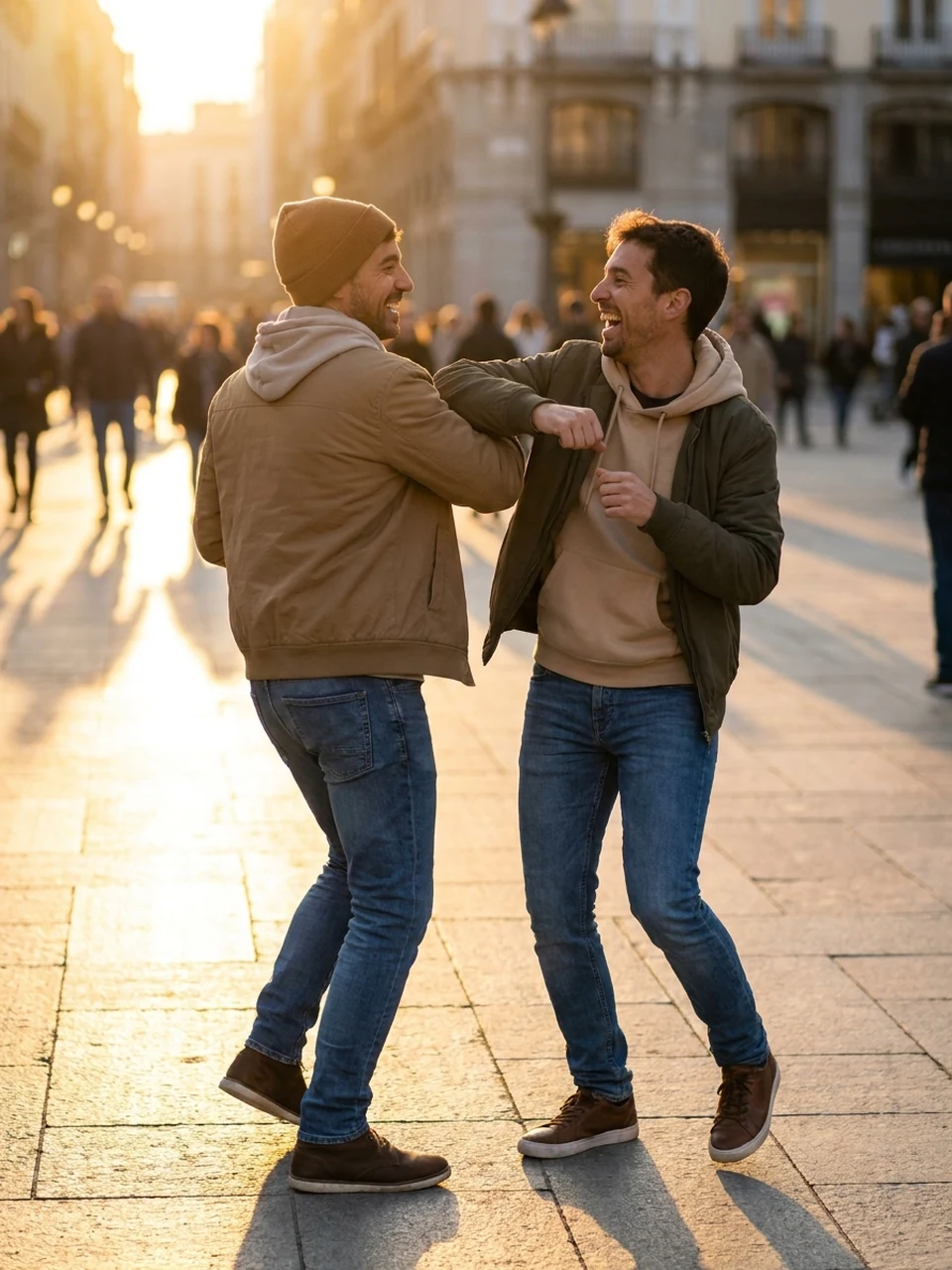
A two-person duet changes the comedy and warmth of the trend. Putting a couple, two best friends, or two consenting coworkers into the left and right slots creates instant call-and-response chemistry inside the same eight-second loop. Viewers watch the clip twice — first to check the left dancer, then again to watch the right dancer answer the shoulder cue.
How left and right portrait slots map into Duet mode
Unlike group photo generators that ask for one crowded picture containing two people standing together, Dame Hombro AI Duet mode accepts two separate single-person portraits: Photo #1 maps to the performer on the left, and Photo #2 maps to the performer on the right. That separation is a major advantage when you and your duet partner live in different cities or never took a clean waist-up photo together.
For the most convincing duet, pick two portraits shot from roughly similar camera distances and lighting warmth. Pairing a bright daylight waist-up photo on the left with a dim nightclub close-up on the right still renders, but matching front indoor light across both portraits makes the two performers look as if they stepped onto the same stage together.
Why sleeve color contrast prevents center-frame blur
In a vertical 9:16 frame shared by two adults, the inner shoulders — the right shoulder of the left performer and the left shoulder of the right performer — move within inches of each other on every beat. When both people wear identical dark charcoal hoodies or matching loose white tees, video motion models can momentarily blend the inner sleeves during fast shimmies.
Choosing contrasting tops, such as warm terracotta beside cream linen or crisp white beside deep indigo denim, gives the model an unmistakable boundary down the center of the frame. Each shoulder pop stays crisp, and viewers immediately read every beat accent on small mobile screens.
Choosing between alternating trade-off and mirrored sync
The planner offers three tested choreography directions tailored to short-form engagement. Alternating Shoulder Trade-Off emphasizes conversational rhythm where the left dancer initiates and the right dancer answers, ideal for couple banter or friendly rivalry captions. Mirrored Double Shimmy focuses on tight unison movement that feels polished and upbeat.
Playful Side-Eye Shoulder Cue adds a brief shared glance attitude before the shoulder turn lands, which pairs naturally with POV text hooks in Spanish, Portuguese or English. Switching Performer Count in step one automatically rewrites the Studio direction for either one adult or two adults and switches the embedded generator template below.
Matching lighting atmosphere to your source portraits
Direction notes work best when they reinforce lighting that already feels compatible with your uploaded faces. Warm Sunset Rooftop Terrace and Evening Courtyard String Lights flatter warm skin tones and casual weekend outfits. Clean Daylight Loft Studio keeps focus purely on facial expressions and sharp shoulder isolation without dramatic color casts.
Neon Latin Lounge Floor introduces richer amber and magenta club energy for Friday-night challenge posts. Keep direction text concise and grounded — describing lighting mood and clean spacing helps the render far more than piling on contradictory camera stunts.
Consent rules for couples, friends and coworkers
Putting two people in a duet means two people must say yes. Only upload portraits of consenting adults who know you are creating a playful AI dance clip with their likeness. Never upload minors, public figures who have not authorized use, or private photos taken without permission.
Every paid clip stays private inside your account or guest order view rather than entering a public feed automatically, giving you and your duet partner full control over whether the MP4 stays in a private chat or goes up on TikTok or Instagram Reels.
Credit math when making both solo and couple versions
Solo and Duet renders cost the exact same 30 credits per standard eight-second 720p vertical video — there is no extra surcharge for adding the second performer slot. If you want to render one solo version for yourself and two couple variations to pick the funniest take, the Three-Video one-time pack ($19.90 for 90 non-expiring credits) covers all three full downloads without a subscription.
If you just want one finished duet MP4 tonight, the One-Video starter pack ($9.90 for 30 credits) covers it cleanly, and failed jobs automatically return their credits to your balance.