Why tight selfie crops ruin shoulder choreography
Most phone selfies are framed from the chin to the top of the forehead because the person holding the phone is reaching only an arm length away. That framing works fine for a profile avatar, where nothing moves, and even works passably for basic lip-sync tools where only the jaw opens and closes. In a Dame Hombro video, however, the entire visual punchline comes from alternating shoulder pops, torso sway and subtle elbow rhythm.
When you feed an ultra-tight face crop into an image-to-video dance pipeline, the model must guess what kind of shirt, neckline, shoulder width and arm position exist below the frame. Sometimes that guess looks plausible; other times sleeves shimmer, shoulders appear narrower than the person in real life, or the lateral shimmy pushes an arm straight into the edge of the 9:16 border. Backing the camera up to waist height solves that problem before rendering begins.
How the 9:16 lateral shoulder arc works
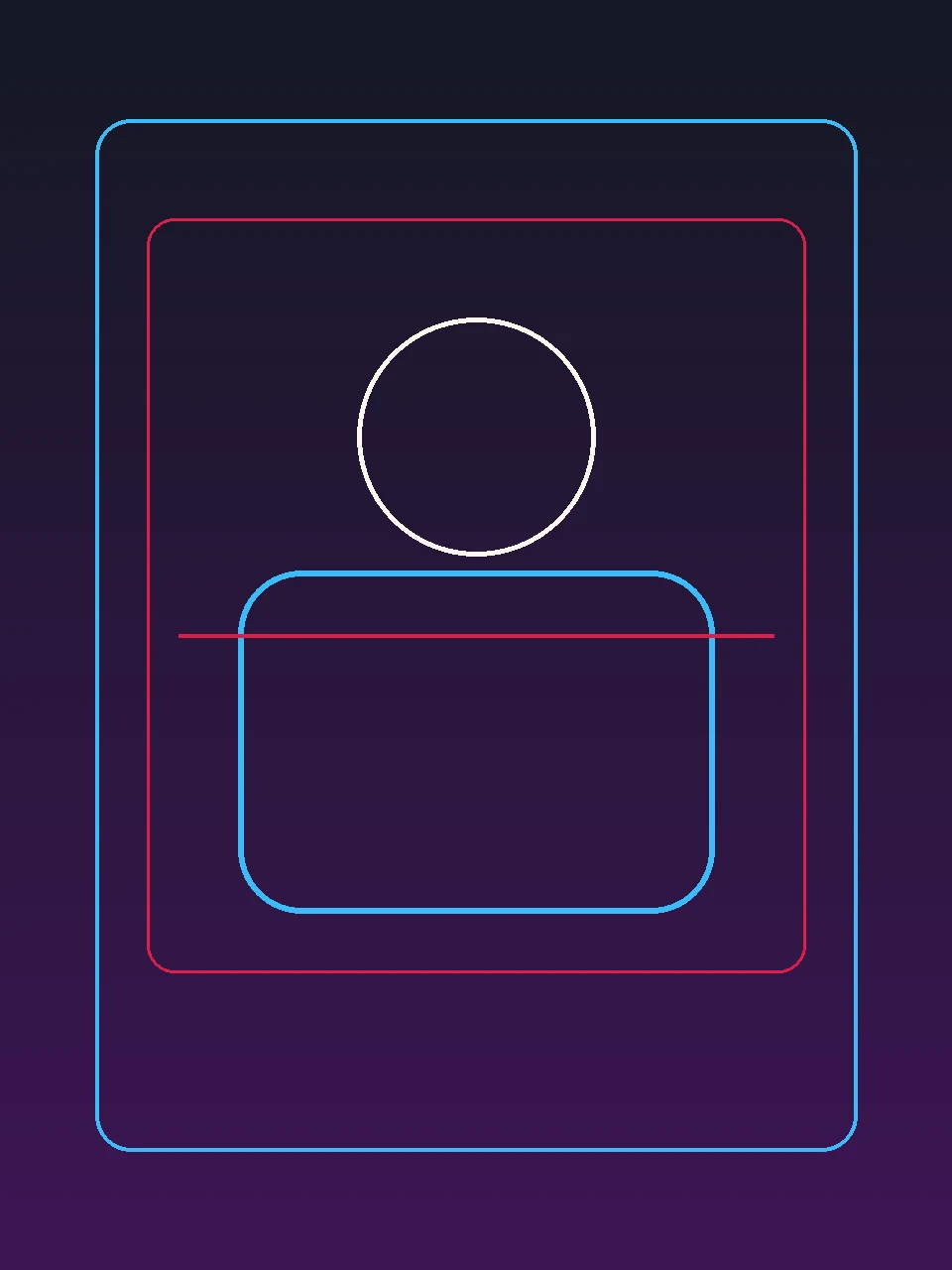
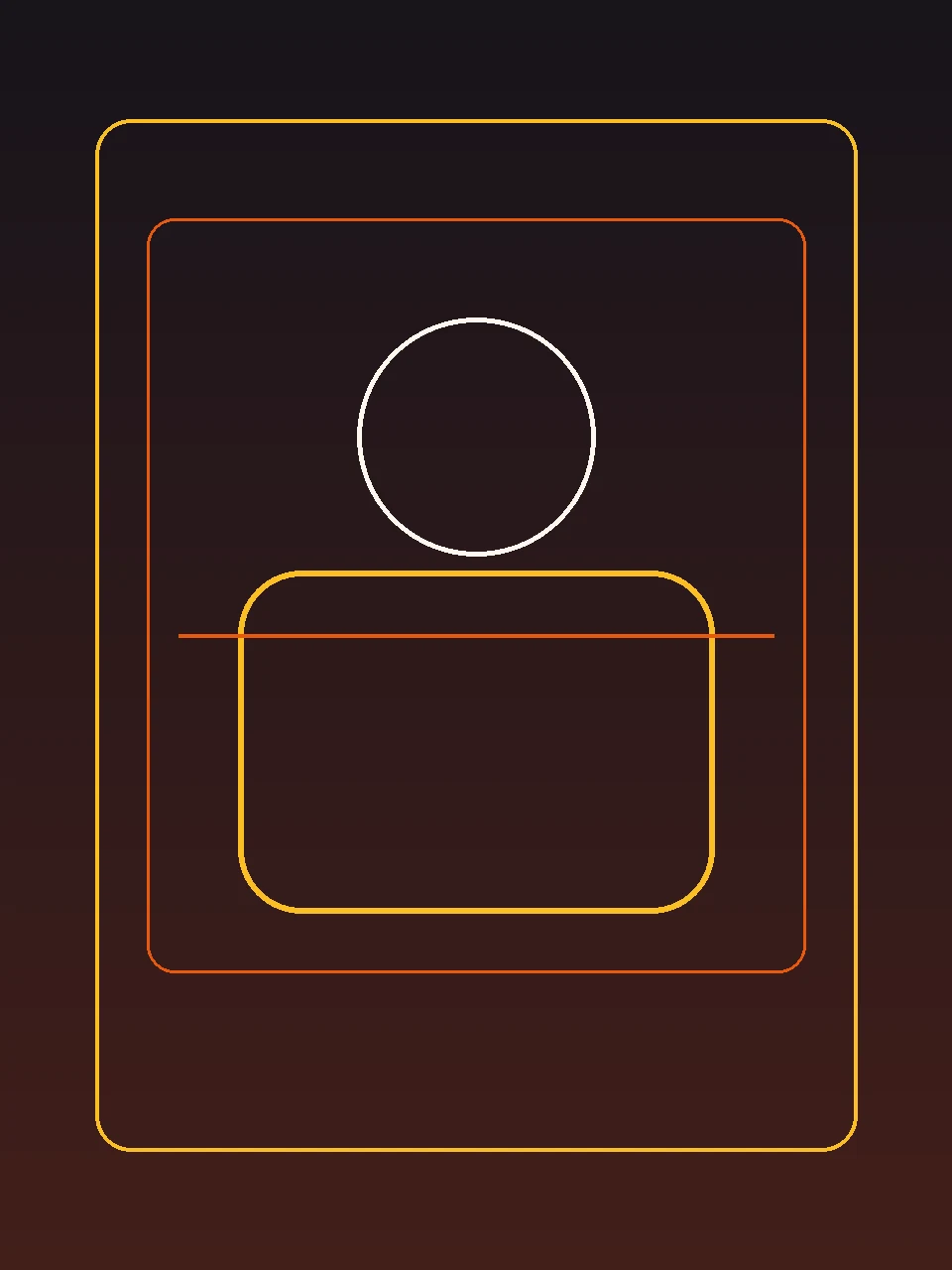
During an eight-second vertical Dame Hombro routine, the performer shifts weight from hip to hip while rolling one shoulder forward and up toward the lens. That sideways excursion means your static portrait needs roughly ten percent of empty background margin outside both the left and right deltoids. If either shoulder touches the edge of your uploaded photo, the animated turn feels cramped.
The orange Shoulder Shimmy Arc overlay inside the Canvas preview above marks the exact vertical band where collarbone and deltoid motion concentrates. Keep the subject centered inside the inner box, leave clean headroom above the hair so upward bounce never touches the top edge, and keep the waist clear of the lower-third TikTok and Reels caption zone.
Reading the four browser pixel diagnostics
Every measurement on this page runs locally through HTML5 Canvas getImageData sampling without sending your photo to any remote API. First, the upload gate confirms that the file is a valid JPEG, PNG or WebP image under the 10 MB studio ceiling. Second, the aspect check compares pixel width and height against vertical 9:16 and 3:4 portrait geometry so wide landscape crops get flagged early.
Third, the lateral shoulder scan compares edge luminance on the far left and far right of the shoulder band alongside torso contrast. A large left-to-right delta usually means strong window light is hitting one side of the body while the opposite shoulder disappears into shadow. Fourth, overall collarbone exposure confirms that indoor lighting is neither crushed into noisy darkness nor blown out by harsh direct flash.
Best clothing necklines and sleeve seams for clean motion
Motion transfer models track fabric edges as anchor points when rotating the upper torso. Tops with visible shoulder seams, crewnecks, open overshirts, fitted knitwear or structured collars give the model crisp geometric landmarks across every beat. Loose oversized blankets, heavy winter scarves covering the neck, or pitch-black hoodies against a pitch-black wall erase those landmarks.
If you plan to use Whole appearance mode in the Dame Hombro studio so the finished clip keeps your real outfit, pick a top whose color contrasts clearly against the wall behind you. If your only photo has awkward clothing but great facial lighting, switch the studio option to Face and hair so the reference dancer outfit carries the shoulder line cleanly.
Fixing common phone camera posture mistakes in thirty seconds
You do not need a studio camera or ring light to hit a 100 out of 100 readiness score. Prop your phone vertically at chest height on a shelf or coffee mug, step two paces back until your waist and both elbows sit comfortably inside the frame, and face a window or even ceiling light rather than standing with a bright window behind your back.
Let both arms relax naturally at your sides instead of crossing them over your chest or holding a drink in front of your collarbone. Uncrossed arms let the motion model separate your hands from your shirt front so the first shoulder pop looks effortless rather than tangled.
Privacy, adult consent and local browser processing
Testing three or four candidate photos inside this checker costs zero credits and creates zero server records because pixel inspection happens strictly inside your browser memory. You can also download the framed 9:16 PNG directly to your phone or computer if you want to keep a clean vertical crop for future renders.
When you click Send Portrait to Studio Below, the file transfers directly into the upload slot on this page. Remember that Dame Hombro AI is built exclusively for consenting adults: only upload photos of yourself or another adult who has explicitly agreed to appear in a generated dance clip.
Moving from preflight to free preview or full 720p delivery
Once your portrait clears all four checks, test it in the embedded studio right below the checker. First-time visitors can run a watermarked four-second 480p preview within daily capacity limits to verify identity and shoulder framing before spending a cent.
When you are ready for the full eight-second 720p vertical MP4 with generated audio and no watermark, each standard render uses 30 credits. One-time packs start at $9.90 for a single video, $19.90 for three videos, or $29.90 for five videos, and unused one-time credits never expire.