Add Music to a Dame Hombro AI Video: Creator Guide
How to add music to a Dame Hombro AI video: keep the generated audio, layer a trending sound, and publish an eight-second clip without breaking the beat.
Dame Hombro AI editorial team · Updated October 8, 2026
What Music Comes With a Dame Hombro AI Video
Every Dame Hombro AI export already ships with a generated audio track, so adding music is not about filling a silent file. Your clip arrives as an MP4, vertical 9:16, 720p, eight seconds long, with generated audio switched on, and it stays private to your account until you decide to publish it. That changes the question from "how do I get sound into this file" to "does the built-in soundtrack carry the joke, or should I replace it with something my audience already recognises?"
The rest of this guide walks through that decision, gives you a repeatable workflow you can run on a phone in under two minutes, and flags the mistakes that most often get a trend edit muted or taken down.
How the Generated Audio Actually Works
The rendering pipeline is Seedance 2.0, a video model that produces picture and soundtrack in a single pass. Audio and motion are generated together, so what you hear tends to line up with what you see: the shoulder drop, the half turn, the little stutter in the freestyle. That synchronisation is the main reason many creators publish the clip exactly as the tool hands it over.
Because the audio is generated rather than sampled from a commercial release, it will not match the original recording note for note. It is a fresh performance in the spirit of the trend, not a copy of the track that started it. If your audience expects the sound they have been hearing all week, you will need to add that sound yourself on the publishing platform, which is exactly what the next sections cover.
Keeping the Built-In Audio or Replacing It
There is no single correct answer, and the choice usually comes down to where you are posting and what the clip has to do.
| Situation | Recommended approach | Why it works |
|---|---|---|
| Posting into a short-form feed | Mute the export, add the platform sound | The feed rewards the sound it already tracks |
| Posting a character-swap clip as a standalone joke | Keep the generated audio | The beat stays locked to the motion |
| Stitching several clips into one story | Replace audio in an editor | One continuous track hides the cuts |
| Publishing somewhere with no music library | Keep the generated audio | No extra licensing step needed |
If you are unsure, publish both versions a day apart and compare your own analytics.
Step by Step: Adding a Track to Your Clip
- Generate the video in Dame Hombro AI and wait for the job to finish. It runs asynchronously and usually takes a few minutes.
- Download the finished MP4 from your account and save it to your phone or desktop. The file is private to you, so there is nothing to make public first.
- Open your publishing app and start a new post, then upload the saved clip.
- Tap the sound or music button the app provides and pick a track.
- Trim the track so it starts at the first frame of movement rather than a beat late.
- Balance the levels: pull the original clip volume down if you layered a track on top, or pull the track down if you kept the generated audio.
- Watch the whole eight seconds once with headphones before you publish, then post.
That is the entire loop. The editing work happens on the platform, not inside the generator, which is why the tool can stay fast and cheap.
Timing a Track to an Eight-Second Clip
Eight seconds is short, so small timing errors are very visible. Use the rough map below as a starting point, then nudge the track by a fraction of a second until the first hit lands on the first movement.
| Second | What usually happens | Track cue to aim for |
|---|---|---|
| 0.0 | Clip opens, performer settles | Track starts, or a pickup note |
| 1.0 to 2.5 | First shoulder movement | First strong beat |
| 2.5 to 5.0 | Main freestyle phrase | Main groove, no new section |
| 5.0 to 7.0 | Turn or pose | Fill, riser or drop |
| 7.0 to 8.0 | Final pose, hold | Tail, so the clip ends on a beat |
Copyright and Moderation Notes
Two separate rules apply here, and mixing them up causes most of the frustration people report.
The first is platform copyright. A trending sound inside an app is generally licensed for use inside that app, but that licence does not travel. If you download a track and re-upload the finished file somewhere else, you are on your own for the rights, and the edit can be muted or removed.
The second is content moderation. Dame Hombro AI screens the prompt, the uploaded photo, and the finished video, and adult content is rejected. Music does not change that pipeline, but the picture you submitted does, so a clearly lit photo of a single consenting adult is the safest starting point.
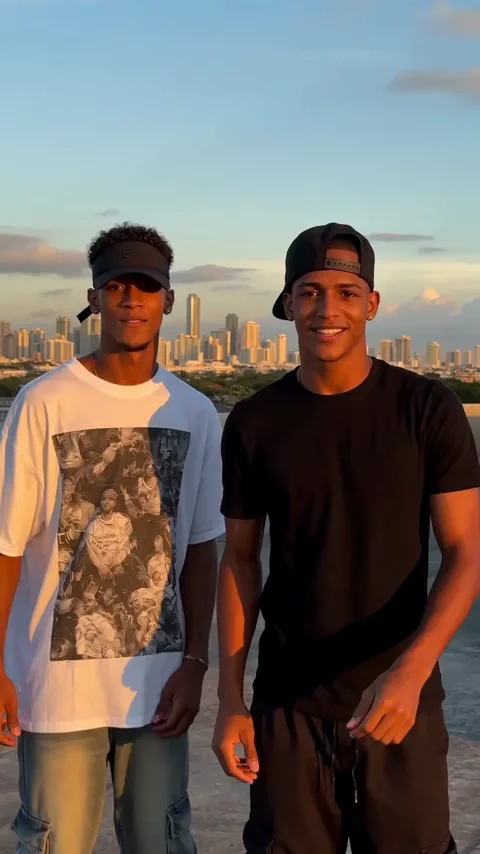
For the record, this is an independent product. It is not affiliated with, endorsed by, or licensed by Bulin 47, Kevin Wai, any record label, TikTok, Instagram or YouTube, and the original trend was created by those two creators in October 2026.
Keeping the Music Workflow Cheap
Adding music costs nothing on the platform side, so the only real spend is video generation itself. One standard video costs 30 credits. Credits come from one-time packs or optional subscriptions.
| Option | Price | Videos | Credits |
|---|---|---|---|
| Free check-in | $0, email sign-up, no card | Up to two claims across two days | 10, then 20 |
| Starter pack | $9.90 | 1 | 30 |
| Three-video pack | $19.90 | 3 | 90 |
| Five-video pack | $29.90 | 5 | 150 |
| Monthly plan | $29.90 per month | 10 | 300 |
| Yearly plan | $199 per year | 120 | 3,600 |
The free sequence runs 10, then 20, then 30 credits, then 10 for each of the next four days you claim, once per account per 24 hours. Two claims are enough for one full video, so you can test a music idea before spending anything. Credits bought in packs never expire, monthly credits refresh each billing month, and yearly credits arrive at once and last the billing year.
FAQ
Can I upload my own music file to Dame Hombro AI?
No. The tool generates video and its own audio, but it does not accept audio uploads. Any music you add is added later, in your publishing app or an editor.
Is the exported video silent?
No. The export is an MP4, vertical 9:16, 720p, eight seconds, with generated audio switched on. If you want a different track, you mute or lower that audio in your editor and add your own.
Will swapping the audio hurt the video quality?
No. Replacing the sound does not touch the picture. Re-encode as little as possible, though, since each export of an export adds a little compression.
What if the beat does not line up?
Nudge the track in the platform timeline rather than re-generating the video. A quarter-second shift usually fixes a late drop.
Can I make longer music-driven edits?
Yes, but not in one job. Generate separate clips and stitch them together, since one job runs per account at a time. If a job fails, the credits it consumed are refunded automatically.
Does music change how the video is moderated?
No. Moderation runs on the prompt, the photo, and the generated video, and adult content is rejected regardless of the soundtrack.
Where to Go Next
Once your music is sorted, the next useful reads are the platform-specific guides and the cost breakdown:
- Dame Hombro AI video cost
- Dame Hombro AI for TikTok
- Dame Hombro AI for Instagram Reels
- Prompt ideas
- Pricing
- Refund policy
If a job stalls, write to contact@damehombroai.com with your account email.